Answers based on public websites
Import the service and procedure pages published by your municipality.
For local government | Embeddable website AI chat
Find services
and procedures
by asking.
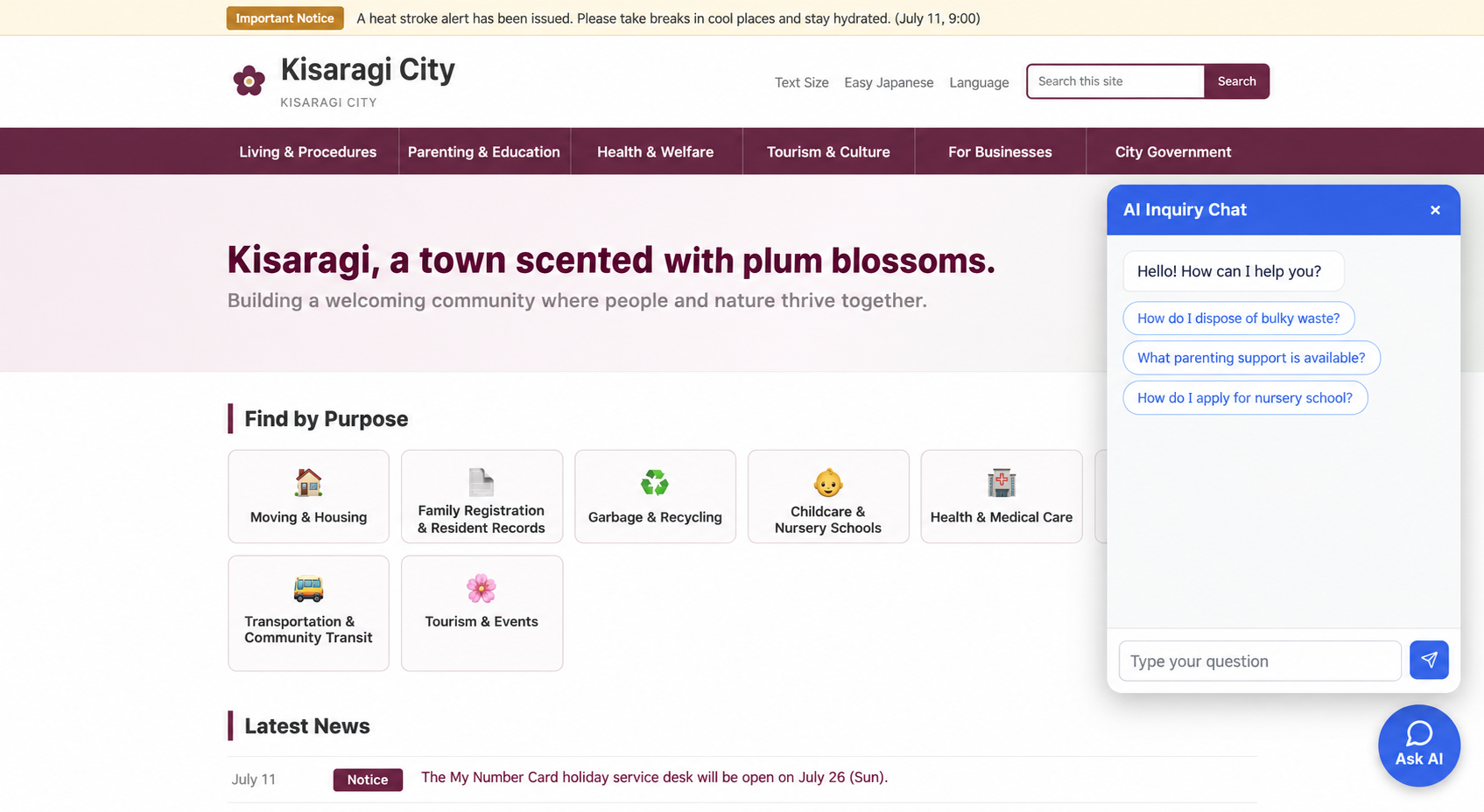
<script src=".../widget.js" async></script>FOR GOVERNMENT
Import the service and procedure pages published by your municipality.
Find the information residents need on public pages, based on their questions.
Show answers alongside source pages so users can return to the original information immediately.
INTRODUCTION FLOW
Choose public websites covering the services and procedures you want to explain
Retrieve public pages and organize them for search
Add one script tag to your existing website
Check answers and source pages before launch
VISITOR EXPERIENCE
Configure up to six questions per site to help users get started.
Answers appear progressively through SSE, reducing the sense of waiting.
Source-page titles and URLs are displayed separately from the answer.
Ask follow-up questions using the latest 20 history entries for context.
Reset the history to start another question with a fresh search context.
Display Markdown, tables, code, and links, with support for smartphones.
KNOWLEDGE & ANSWER PIPELINE
Set a name, URL, crawl depth, and maximum page count
Respect robots.txt, sitemaps, and Crawl-delay
Retrieve and store titles, body text, and links
Organize the captured information so AI can find it
Save the organized information ready for search
The crawler is designed for large sites, with progress stored in a database-backed frontier so interrupted crawls can resume.
Combine questions in the conversation to form a search query
Search the imported pages for information related to the question
Pass the retrieved context to an LLM to generate a response
Return the SSE answer and source pages separately
If retrieval does not work well, the chat continues using available information or switches to a response that takes safety into account.
ADMINISTRATION & OPERATIONS
Manage display names, URLs, crawl depth, and maximum page counts.
See running, completed, and failed jobs along with error details in one list.
Track titles, URLs, depth, HTTP status, and retrieval timestamps.
Review questions from both the widget and registered users, with details by question, source, user, and date.
Save conversation lists and message details to revisit multi-turn exchanges later.
Add or remove administrators and regular users, change roles, and manage usage status.
IMPLEMENTATION
Set a name, URL, crawl depth, and maximum page count
Retrieve public pages and organize them for AI search
Add the widget.js script tag to existing HTML
Check CORS origins, answers, and sources before launch
CONTACT