Initial detection on the device
Email addresses, phone numbers, and card numbers are detected within the Chrome extension.
Generative AI data leak prevention | Chrome extension for organizations
Keep using AI.
Stop accidental disclosure before sending.
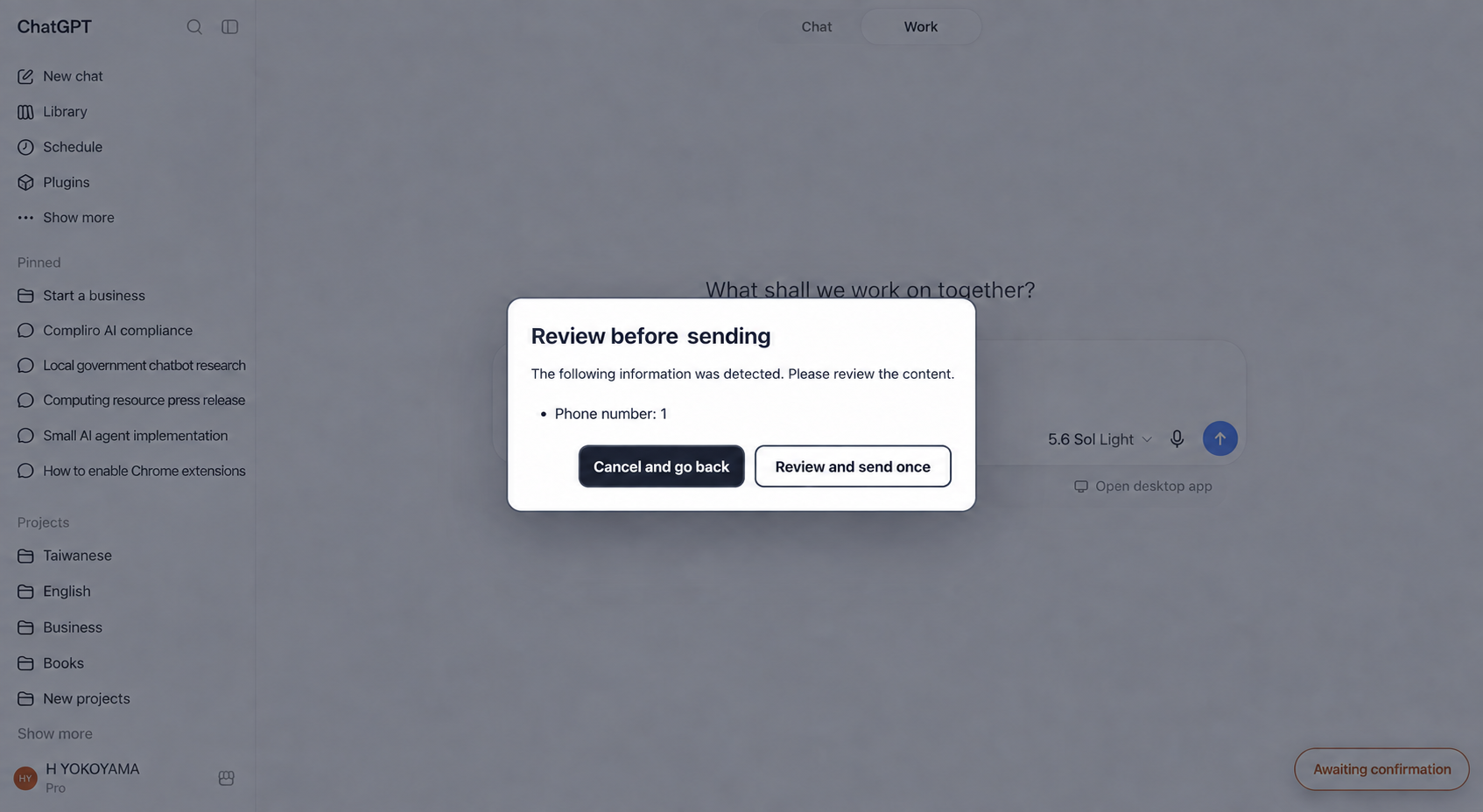
Checks run just before sending and display options such as cancel or send once, depending on the result.
PRODUCT PROMISE
Email addresses, phone numbers, and card numbers are detected within the Chrome extension.
Contact information prompts a confirmation, while high-risk information cannot be sent in its original form.
Detected information is masked, and warnings, blocks, and usage outcomes are reflected in the admin console.
PROTECTION FLOW
Intercept the Enter key or send button just before submission.
Detect email addresses, phone numbers, and card numbers within the Chrome extension.
Administrators choose whether to enable it. Only when enabled is raw text encrypted and temporarily inspected in an isolated environment.
Guide the user to cancel, confirm, or take other actions based on the result.
Reflect masked information and the final outcome in the admin console.
Detected information is masked automatically. A BLOCK result cannot be overridden to send the original text containing the detected information.
DETECTION & RESPONSE
Pre-send behavior depends on the information type and risk.
Block sending the original text containing the detected information.
Block sending the original text containing the detected information.
Block sending the original text containing the detected information.
Users can cancel or review the content and choose to send it just this once.
Users can cancel or review the content and choose to send it just this once.
Warn on suspicious names. Attachment contents are not inspected.
ADMINISTRATION & OPERATIONS
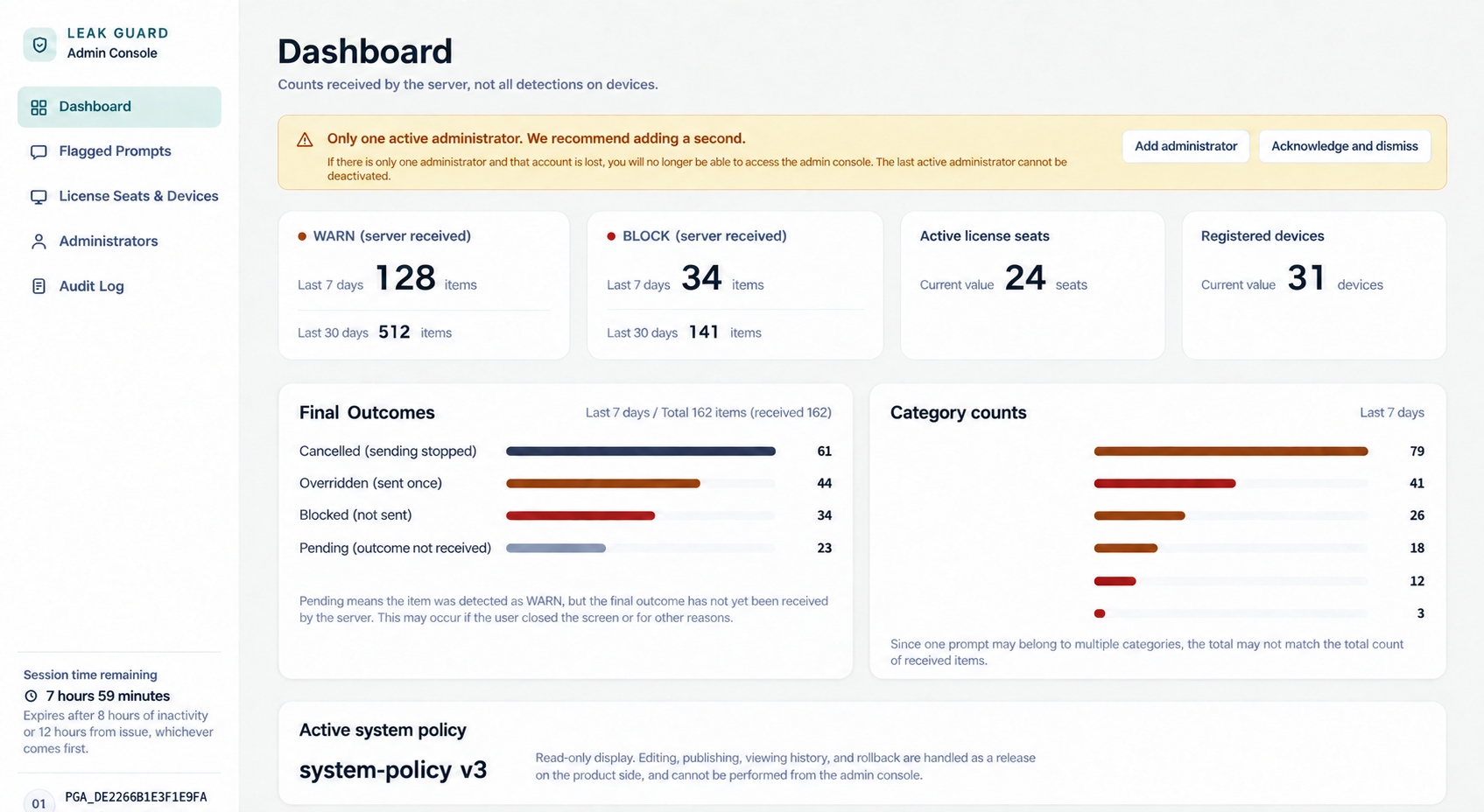
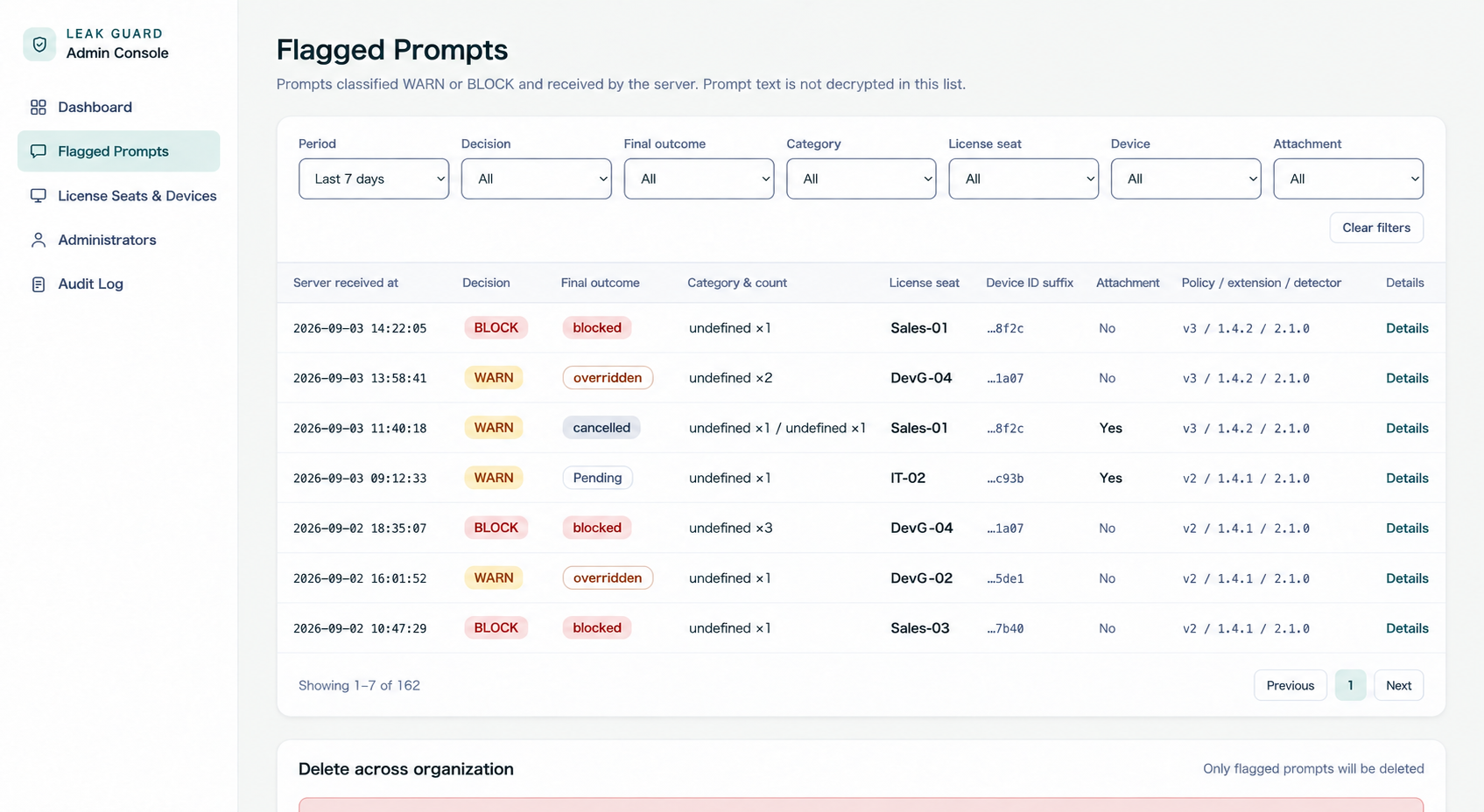
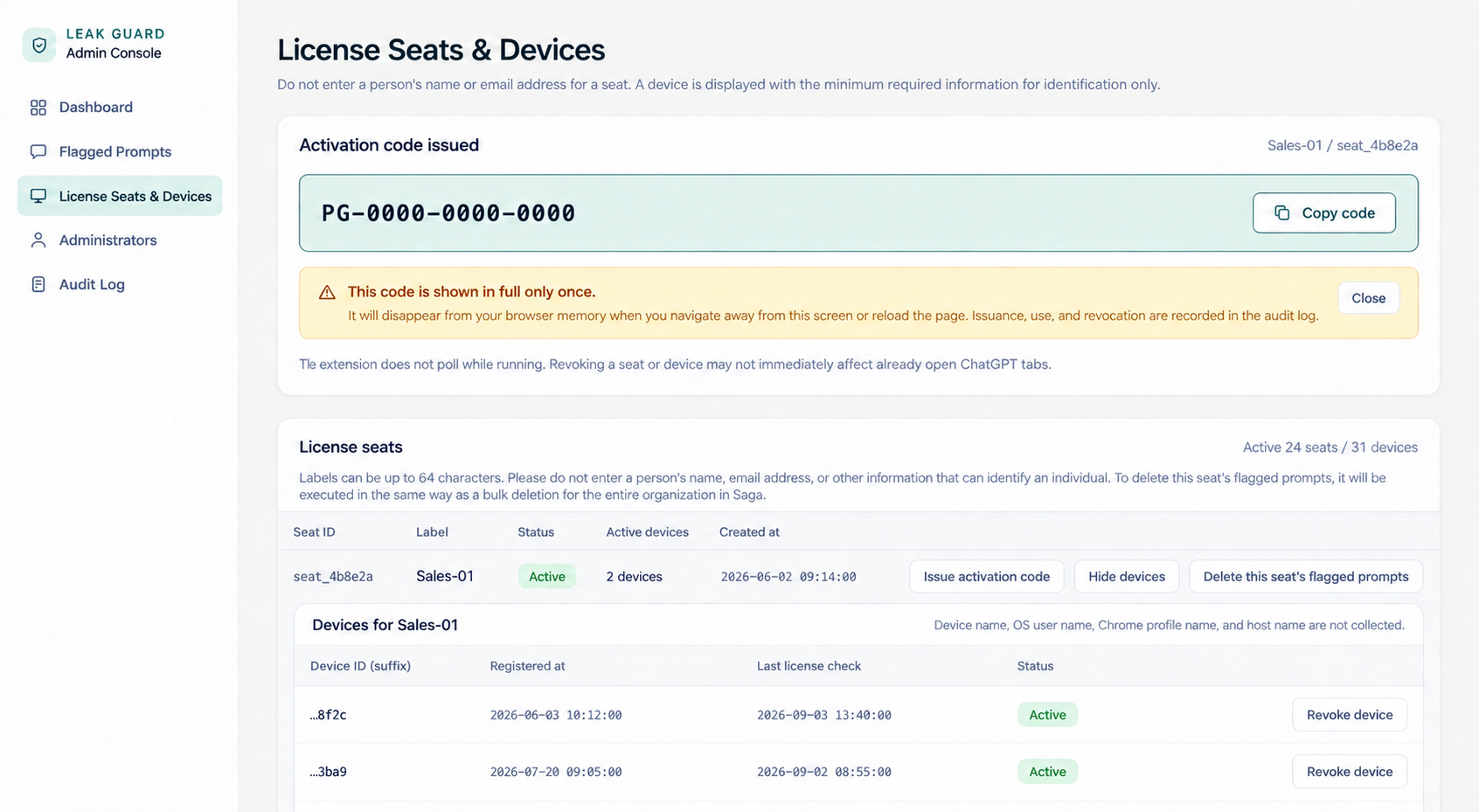
Screens are under development. Counts, dates, identifiers, and other displayed values are examples.
DATA PROTECTION
Email addresses, phone numbers, and card numbers are detected on the client. Even with advanced detection enabled, raw text is processed temporarily only in an encrypted, isolated environment and is never stored or logged.
Only masked prompt text is stored, encrypted for each detection event.
Decryption requires an explicit action, and its success or failure is audited. The displayed prompt text is discarded when navigating away.
Currently supports ChatGPT on the web in desktop Chrome. Only attachment filenames are inspected; file contents are not.
FAQ
Currently, LEAK GUARD supports ChatGPT on the web in desktop Chrome. Ask us about other browsers and generative AI services when discussing implementation.
With WARN, users can cancel or review the content and send it just this once. With BLOCK, the original text containing the detected information cannot be sent.
Email addresses, phone numbers, and card numbers are detected on the client. Only when advanced detection is enabled is raw text encrypted and sent to an isolated environment, where it is processed temporarily without being stored or logged. The admin console records masked prompt text, detection decisions, final outcomes, and related information.
Yes. Administrators can disable advanced detection. Raw text is then not sent to the isolated environment, and only client-side detection of email addresses, phone numbers, and card numbers runs. Information covered by advanced detection is not inspected in this mode.
Attachment filenames are inspected. File contents are not.
The list displays decisions and metadata without decrypting the prompt body. An explicit action is required to view masked text when needed, and the result of that action is audited.
Through a paid proof of concept for organizations, we define departments, devices, and operating rules, set up administrators and license seats, and then validate WARN, BLOCK, and the admin console in real operations.
PAID PROOF OF CONCEPT
Confirm departments, devices, and operating rules
Prepare admin accounts and license seats
Enter activation codes in the Chrome extension
Check WARN, BLOCK, and the admin console
CONTACT